Authorization in the eGov mobile applicationObtaining an e-digital signature (EDS) in the eGov mobile applicationPersonal push notifications in the eGov mobile applicationDigital documents
Obtaining an e-digital signature (EDS) in the eGov mobile application
Инструкция
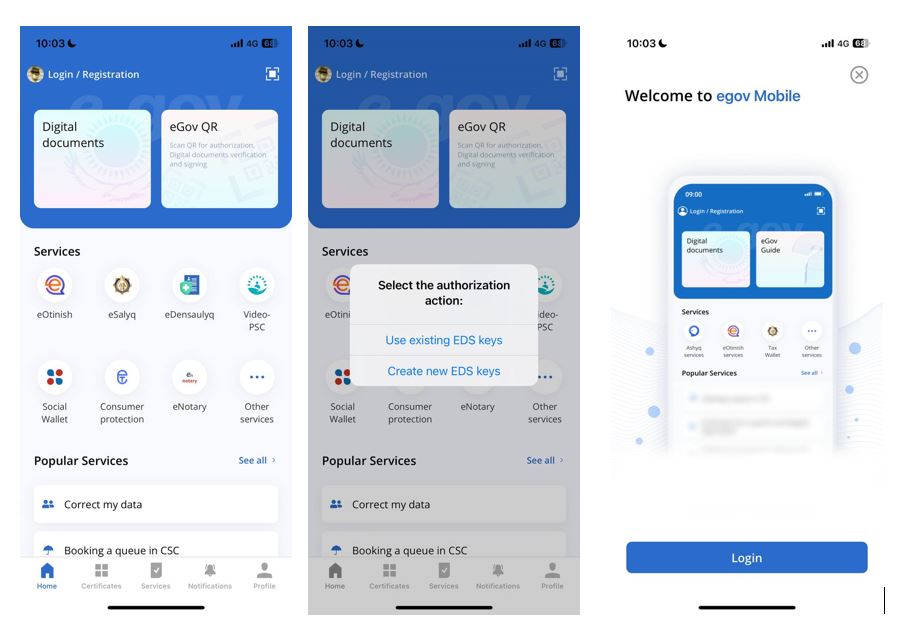
To obtain an EDS in the application the following is required:
- In the upper left corner, click on the “Login/Register”
- “Issue a new one” shall be selected in the pop-up window
- On the page that opens up, click on the “Login” button
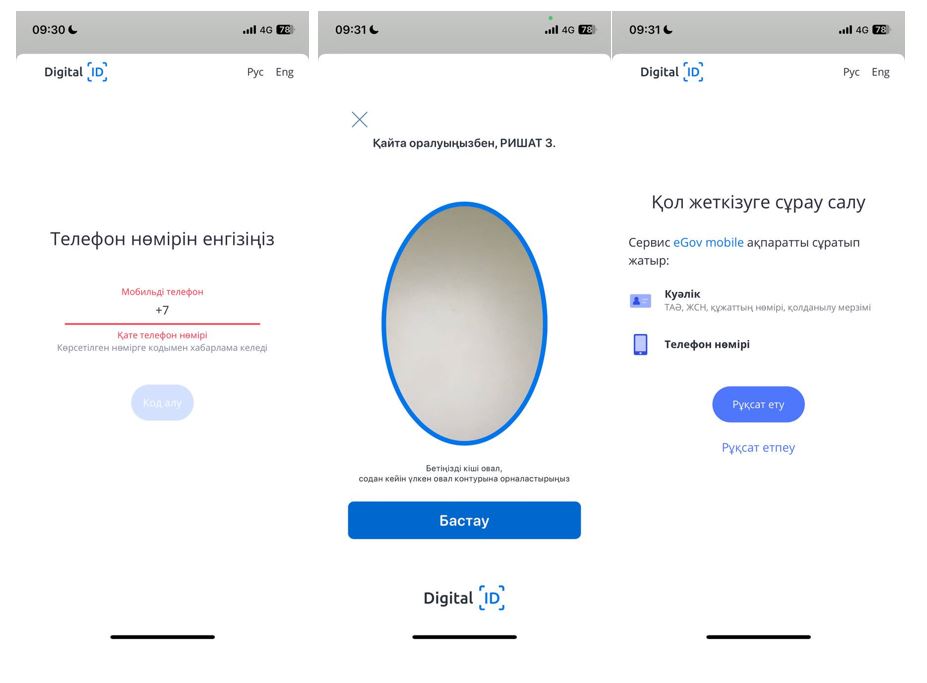
- Enter a phone number, SMS verification code, register with Digital ID.
- Go through video identification. Allow an access of the eGov mobile to the details of ID card and phone number.
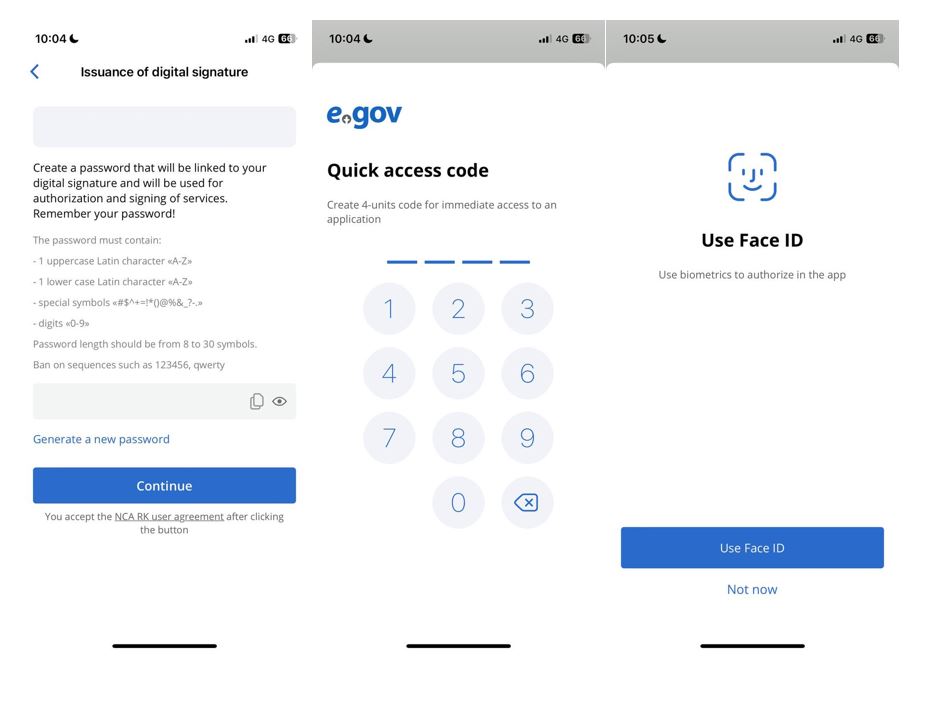
- Create a EDS password or use the one already proposed
- Completion of the registration, link the existing EDS to the 4-digit PIN code and device built-in biometrics (Face ID, Touch ID)
Note: The EDS certificates issued from the eGov mobile application can only be used in the eGov mobile application. The EDS keys authorization confirmed are stored in the eGov mobile application container storage cannot be exported to other programs and will be deleted when the eGov mobile application is deleted. The EDS obtained through remote identification cannot be re-issued.
Дата обновления - 24.05.2024
Справочная информация
3704