Меню
Страницы
Статья
User's instructions for submitting an application for the provision of public services "issuance of archival certificates, copies of archival documents or archival extracts" through the e-government portal www.egov.kz
- To apply for this public service it is necessary to go to the portal of "electronic government" www.egov.kz.
Next, select the "Legal aid" tab in the main menu»
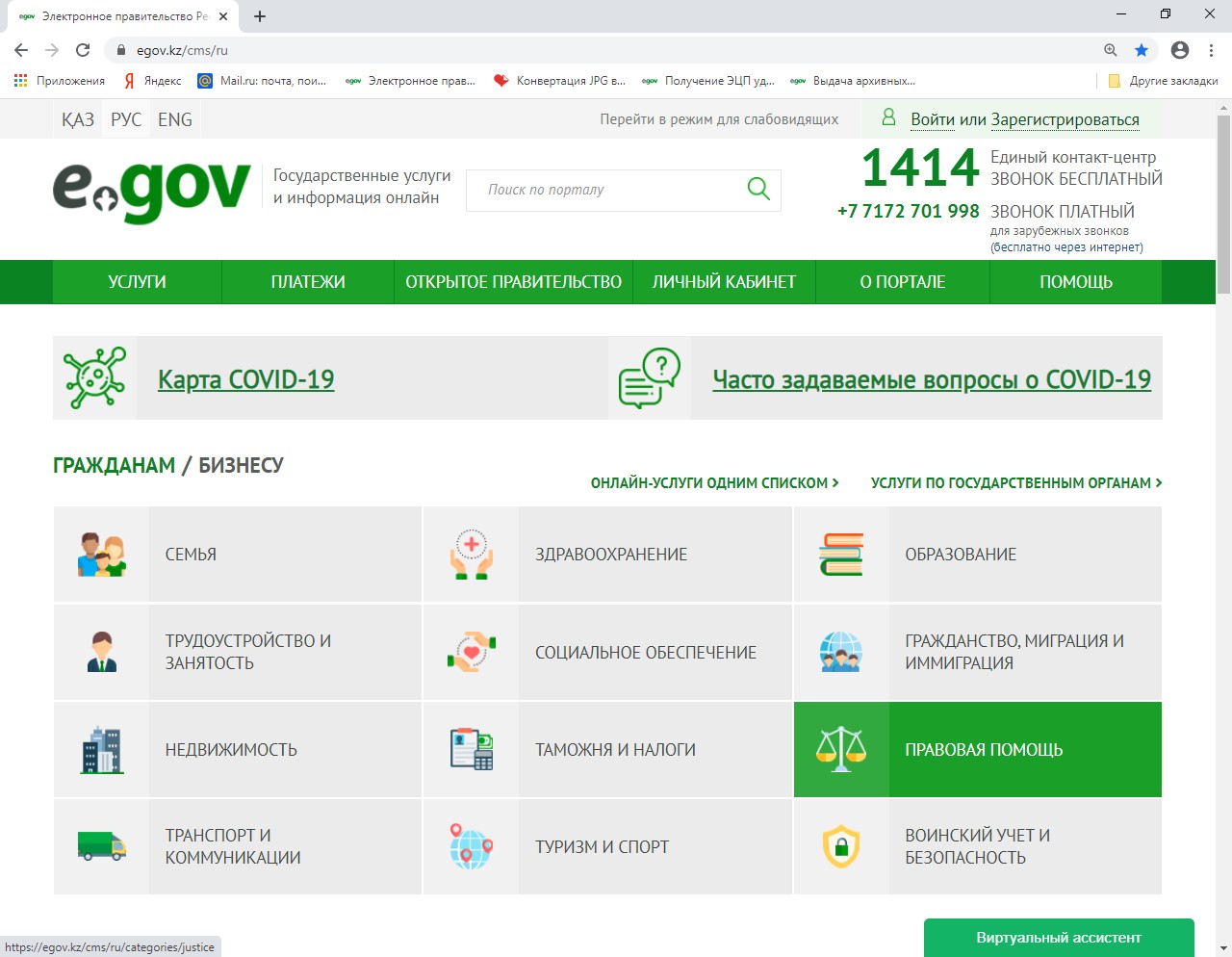
2. In the window that opens, select the "Apostille of documents and archived help" tab
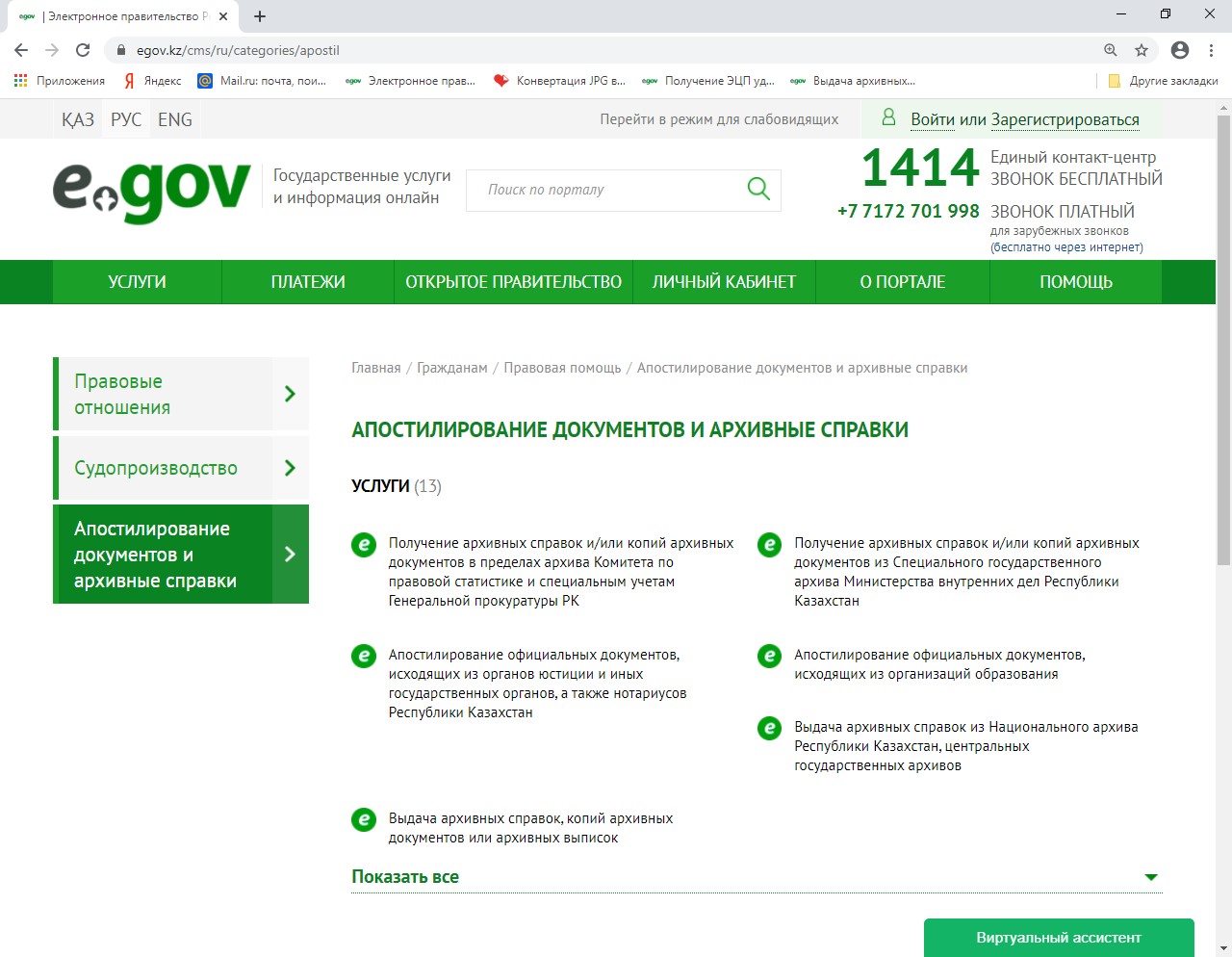
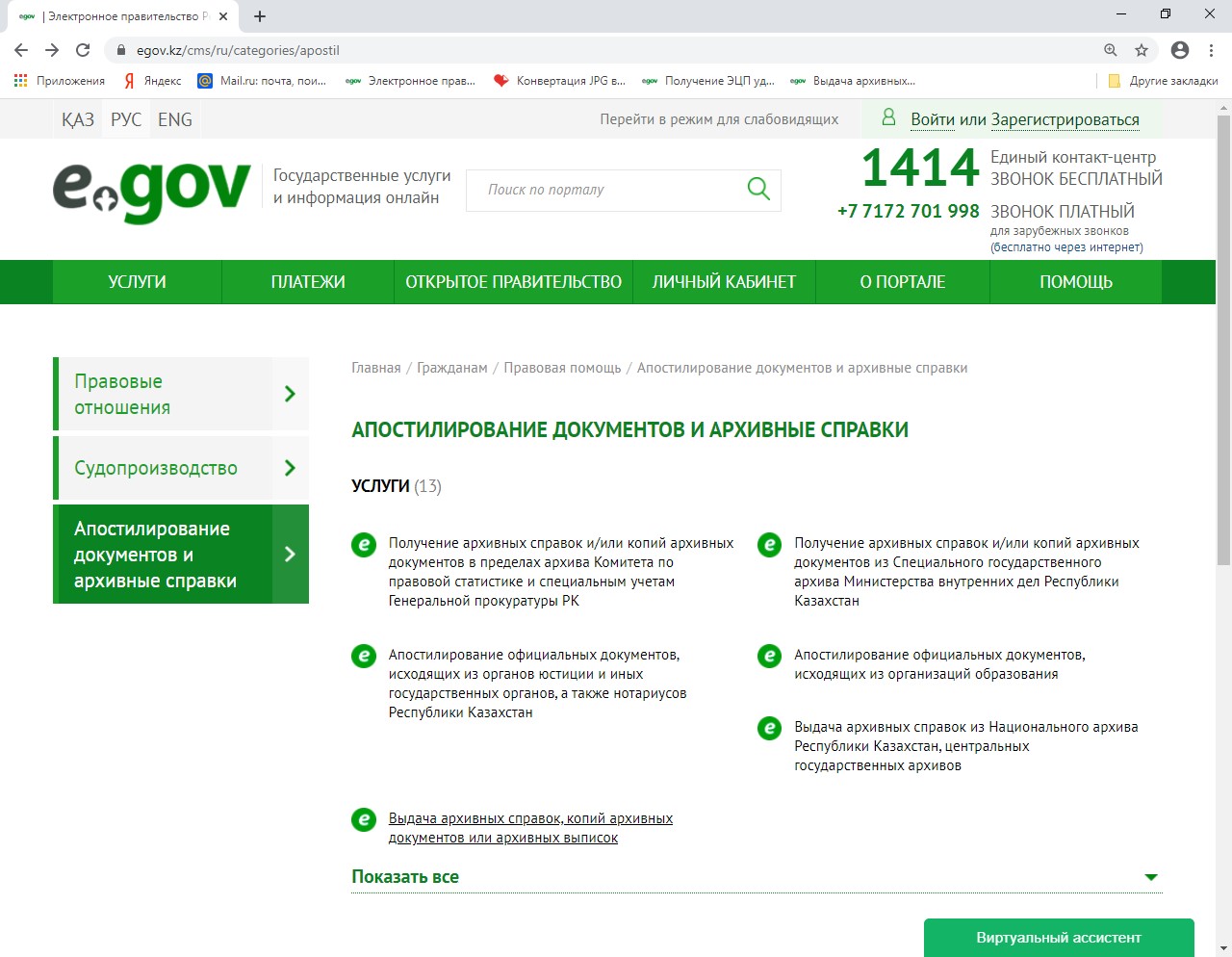
3. Next, select the service "Issuance of archival certificates, copies of archival documents or archival statements"
- In the upper-right corner, select the "Order online service" function.
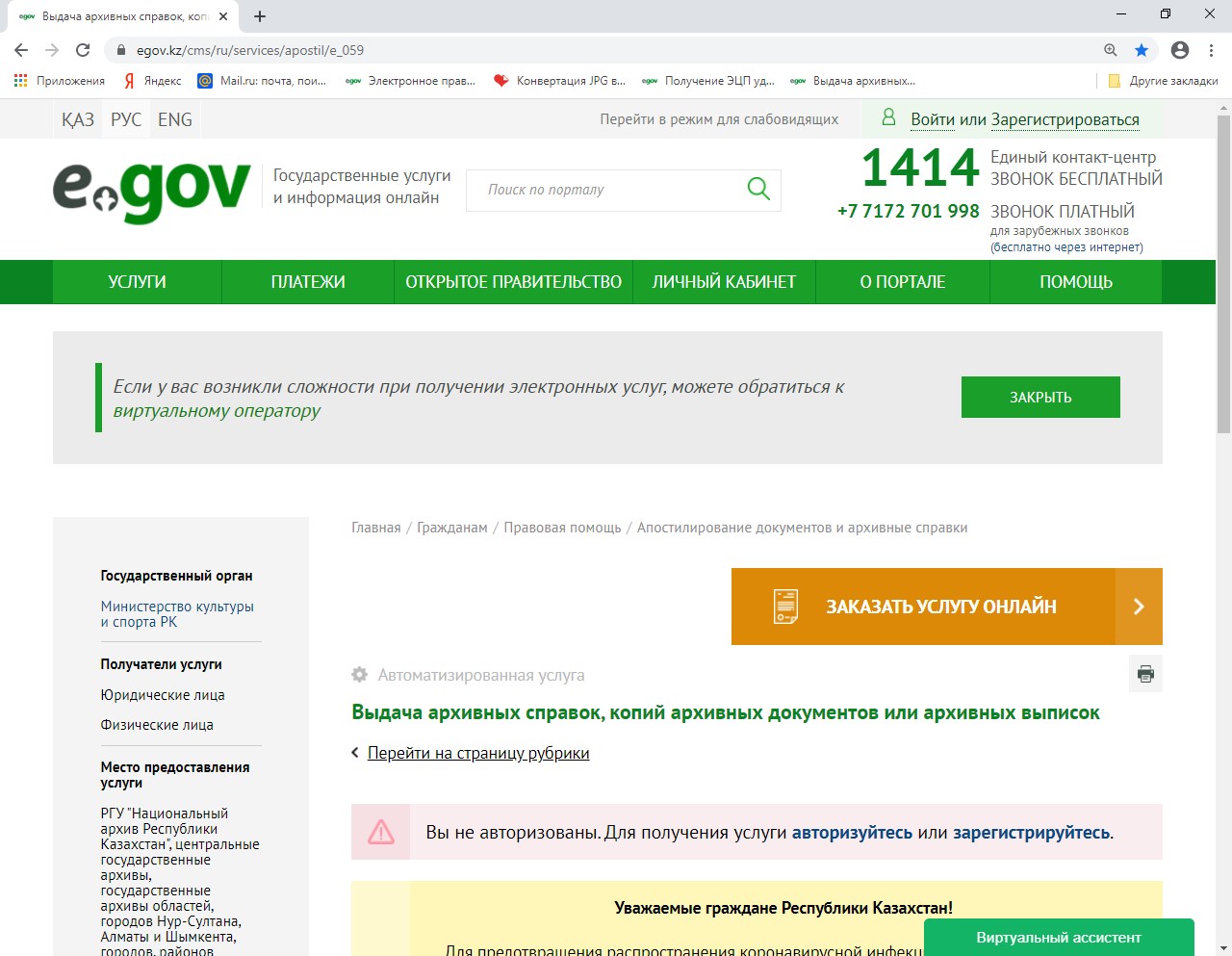
- For further processing of the application, you must pass the authorization procedure using an electronic digital signature (EDS) or using an SMS password (you must register in the database of mobile citizens).
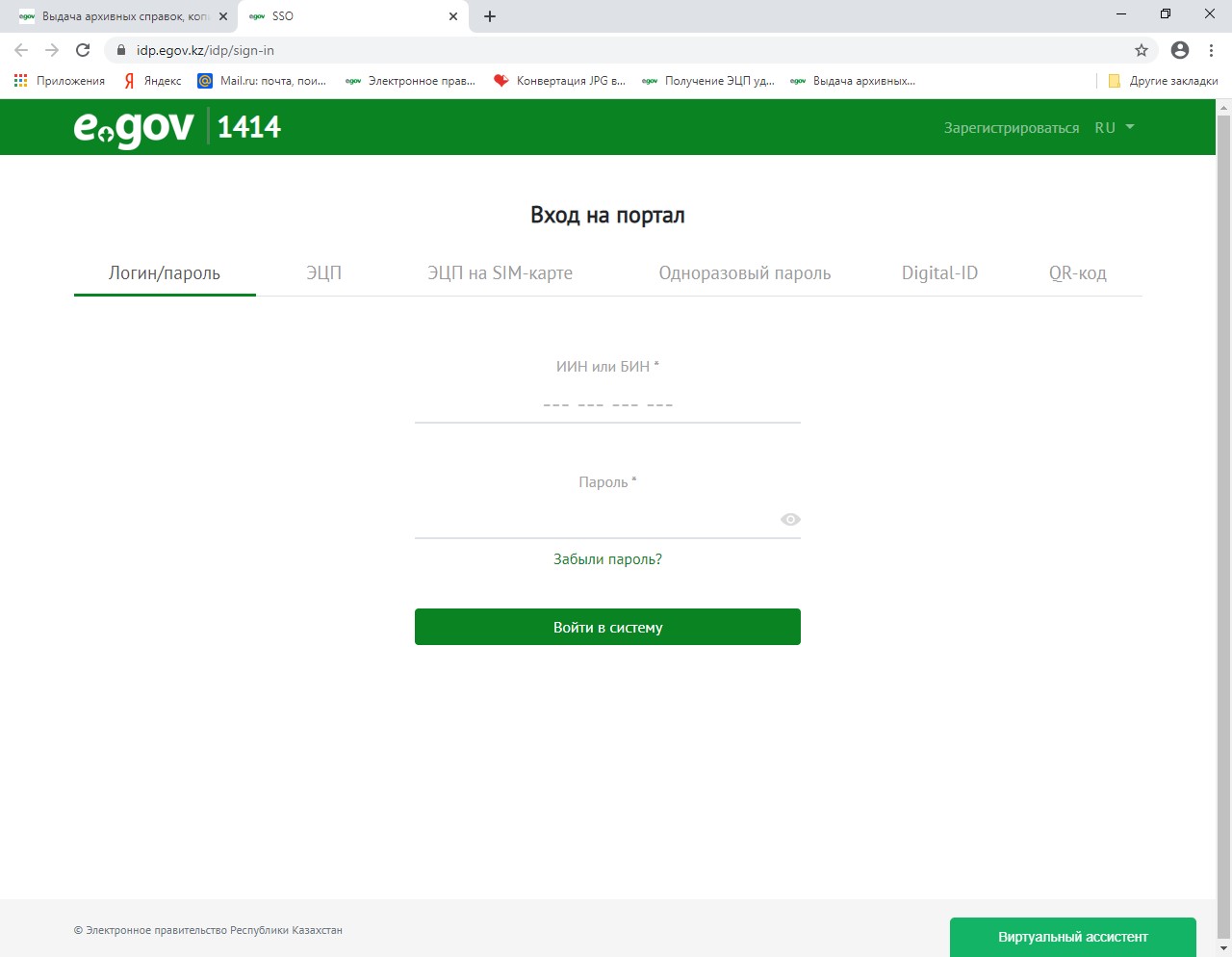
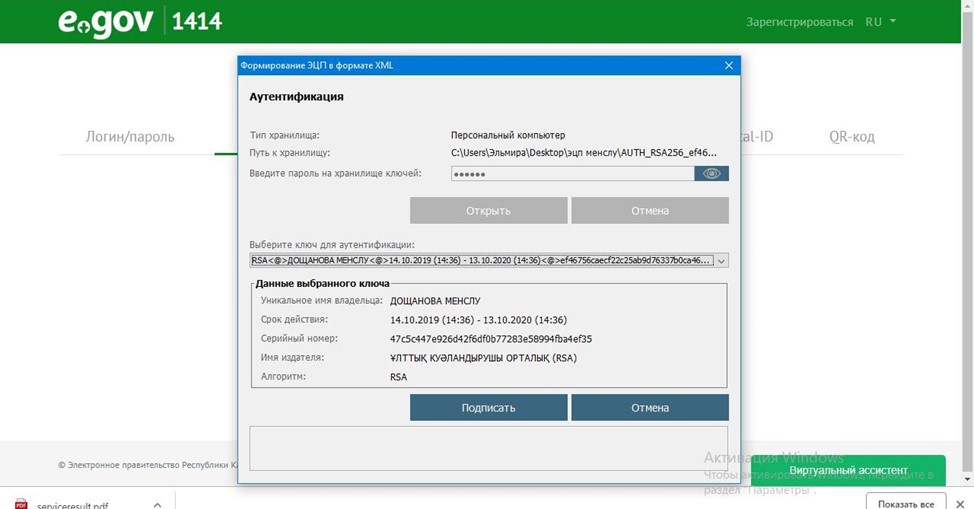
6. Select the "EDS" tab and go through the EDS authentication procedure (from the computer where these files are saved or from an external media), enter the EDS password and select the "Sign"function.
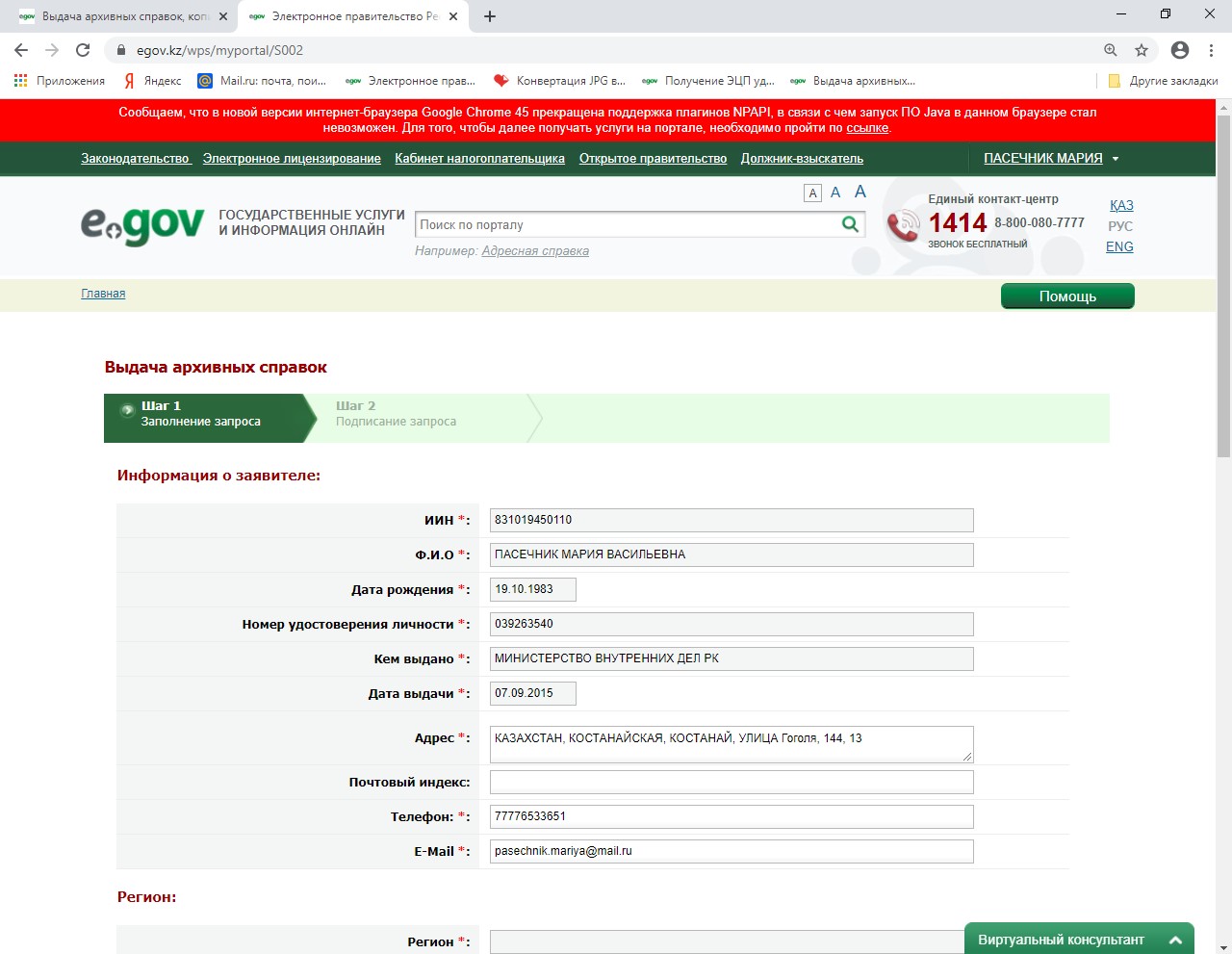
- In the "issue of archived references" window» go through "Step 1" and fill in all the required fields (marked with*). You must specify your residential address and phone number so that if you have any questions, the service provider can contact the service recipient.
8. Next, select the service provider's region (the location of the archive institution).
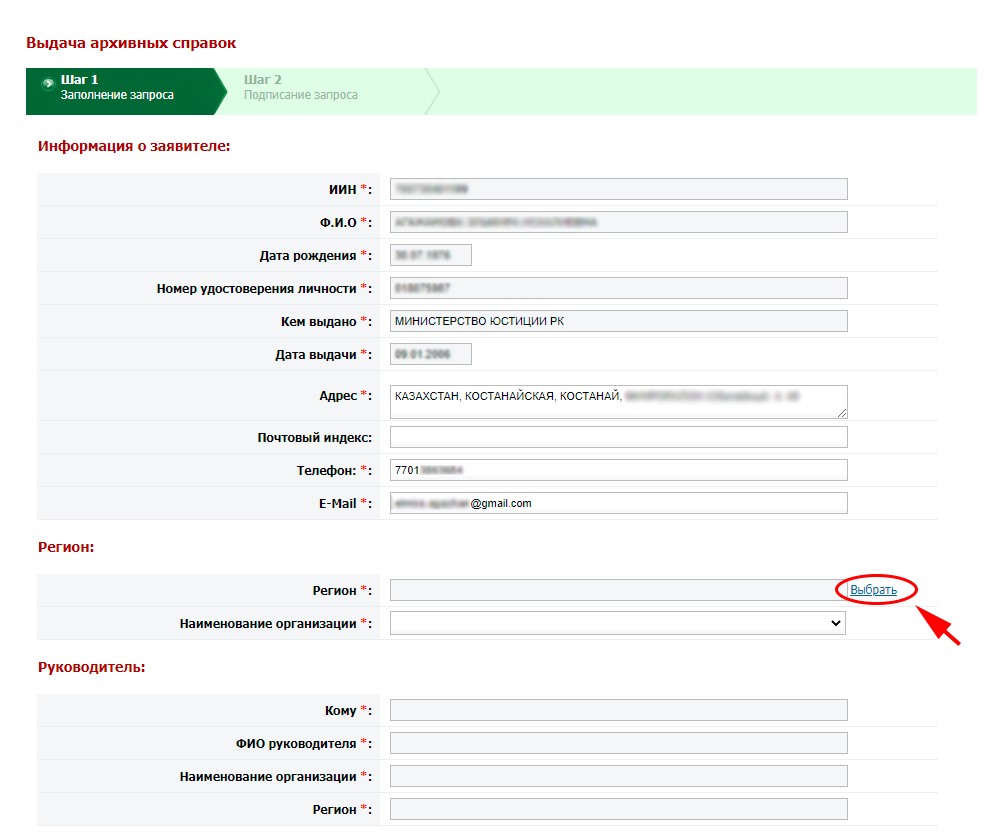
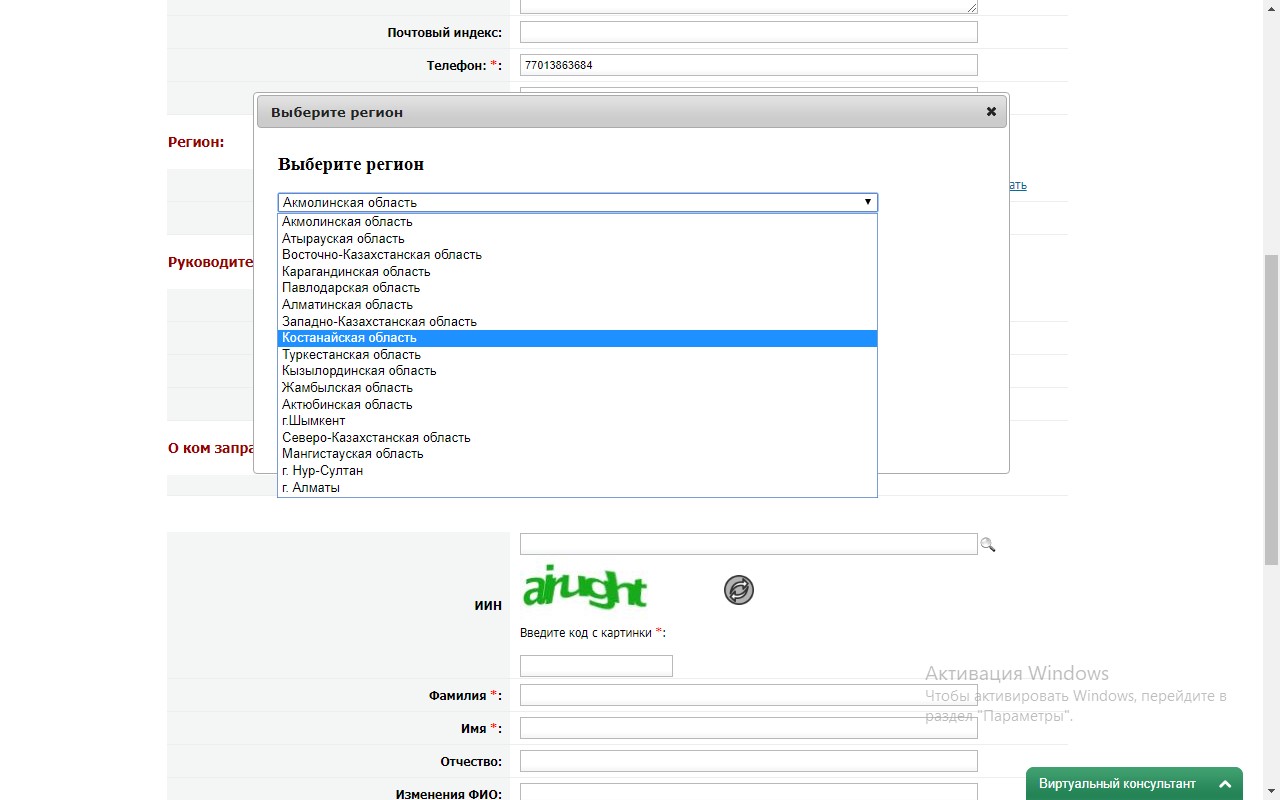
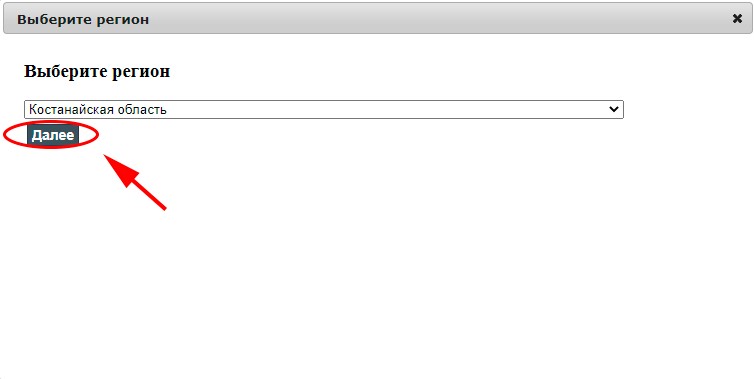
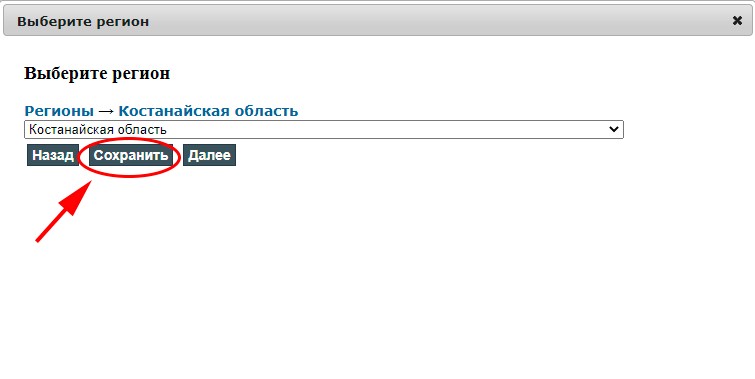
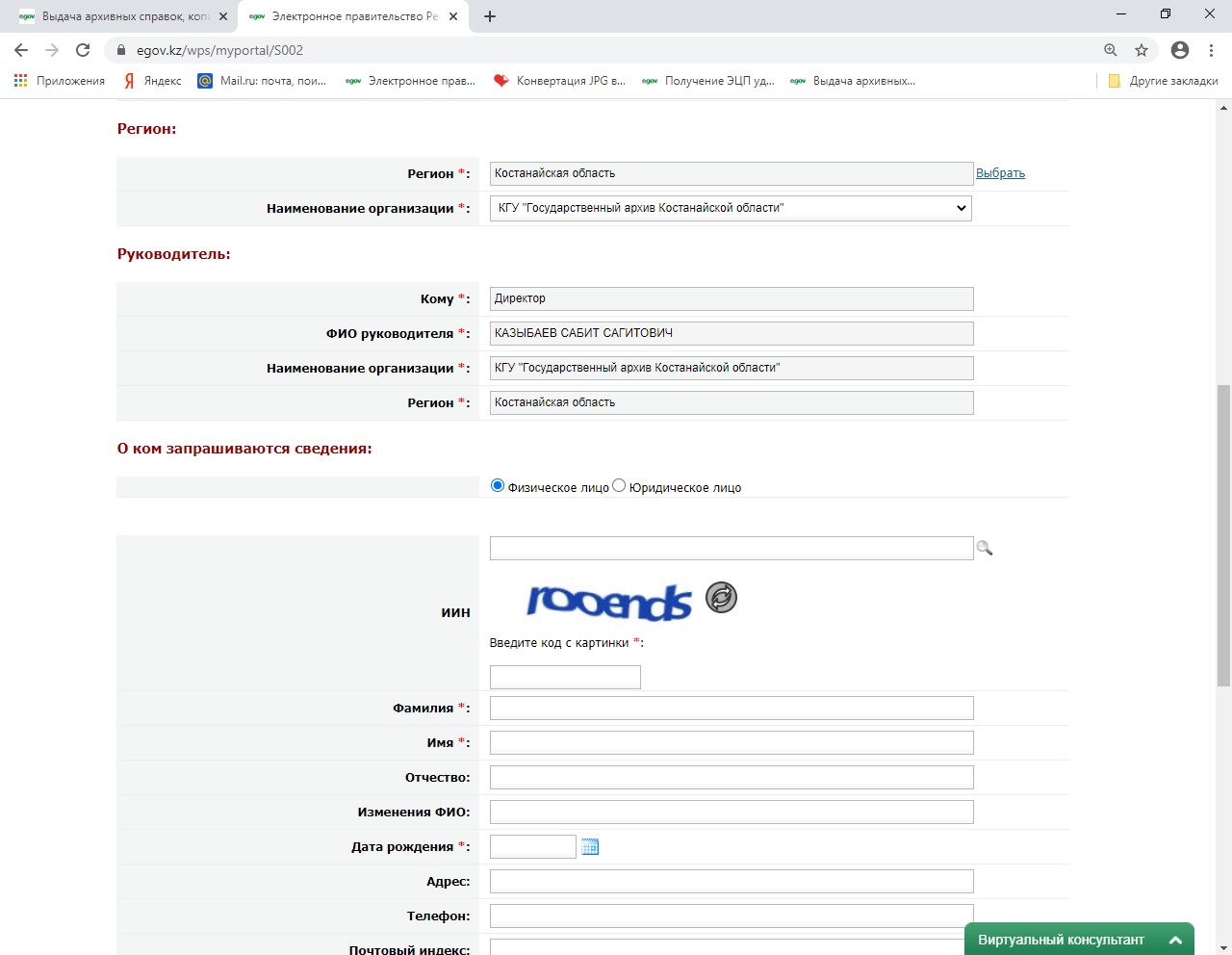
After selecting the name of the state archive, the position and full name of the head appear automatically.
To select the archive of the city or district level, also select the region "Kostanay region", click the "Next" function, then-the "Next" function (to the expanded list of regions of the region)
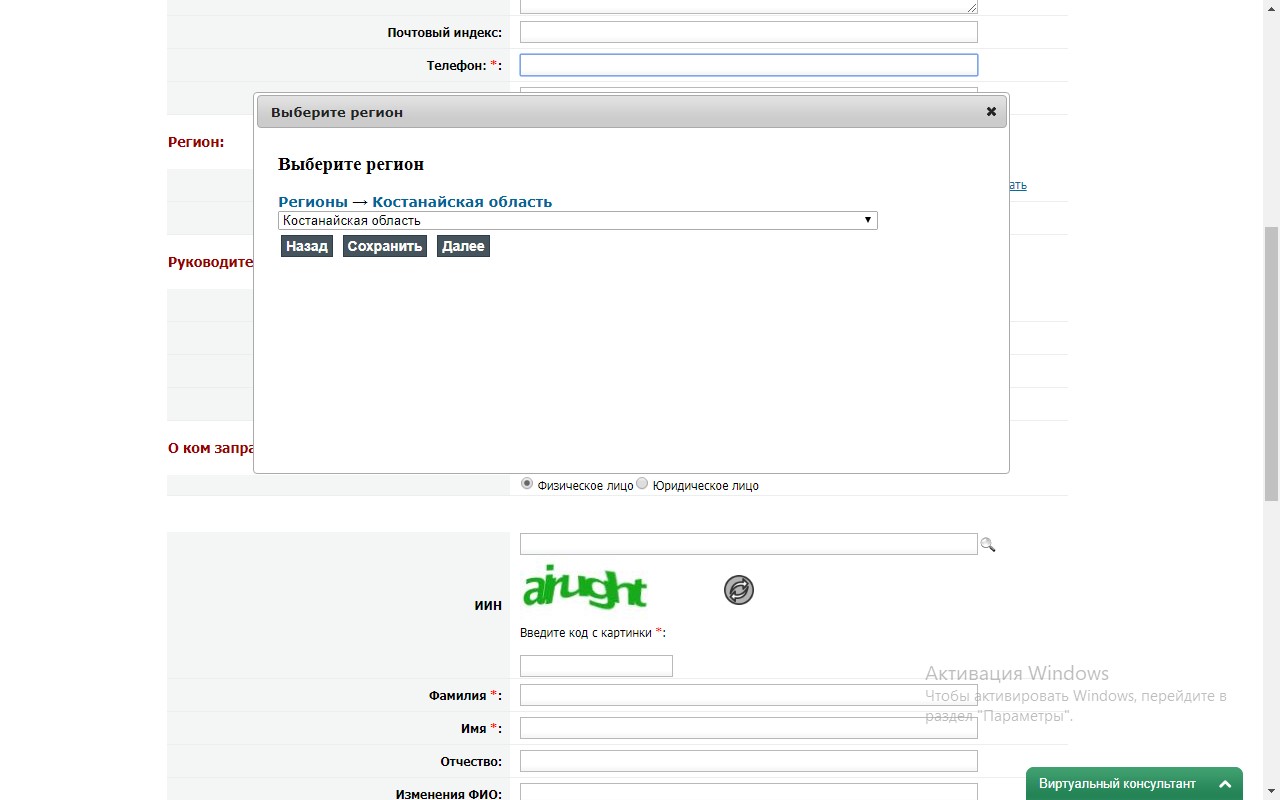
Next, in the expanded list of regions of the region, select the desired region (for example, Kostanay) and click "Save".
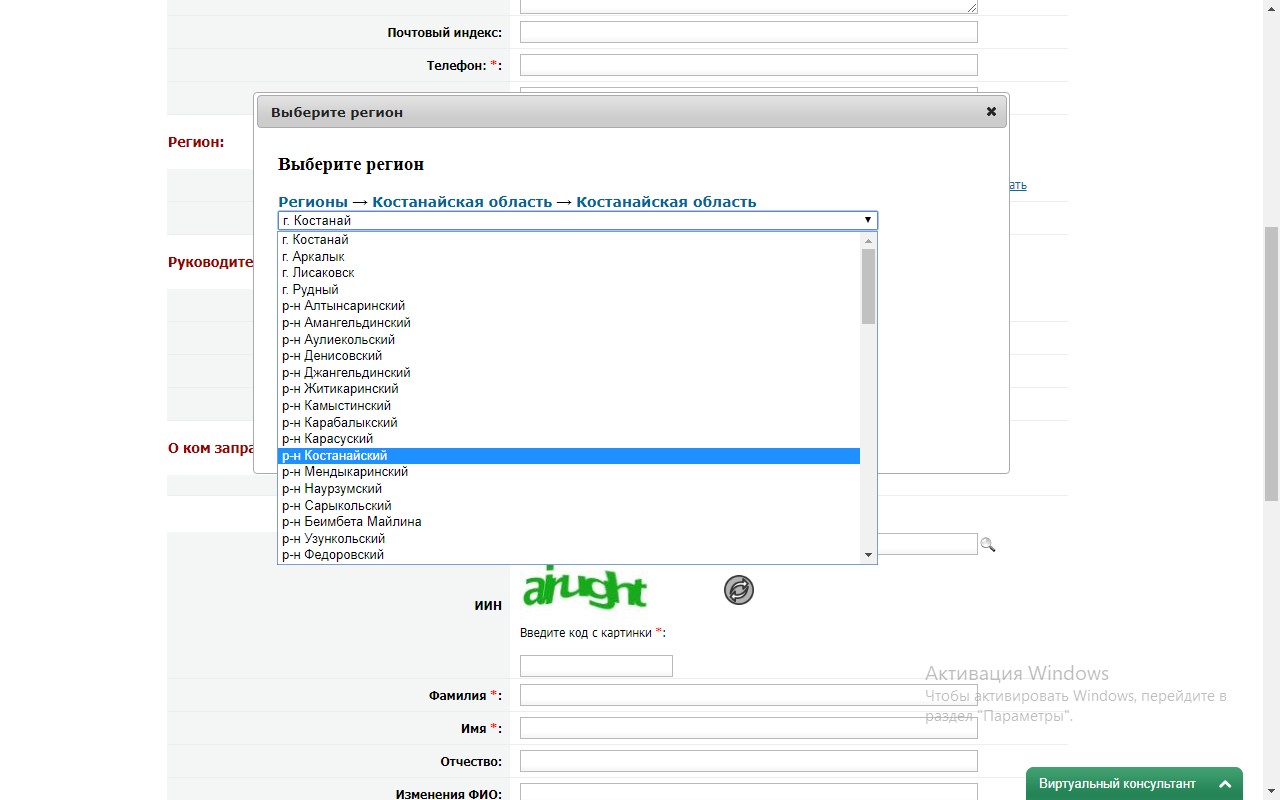
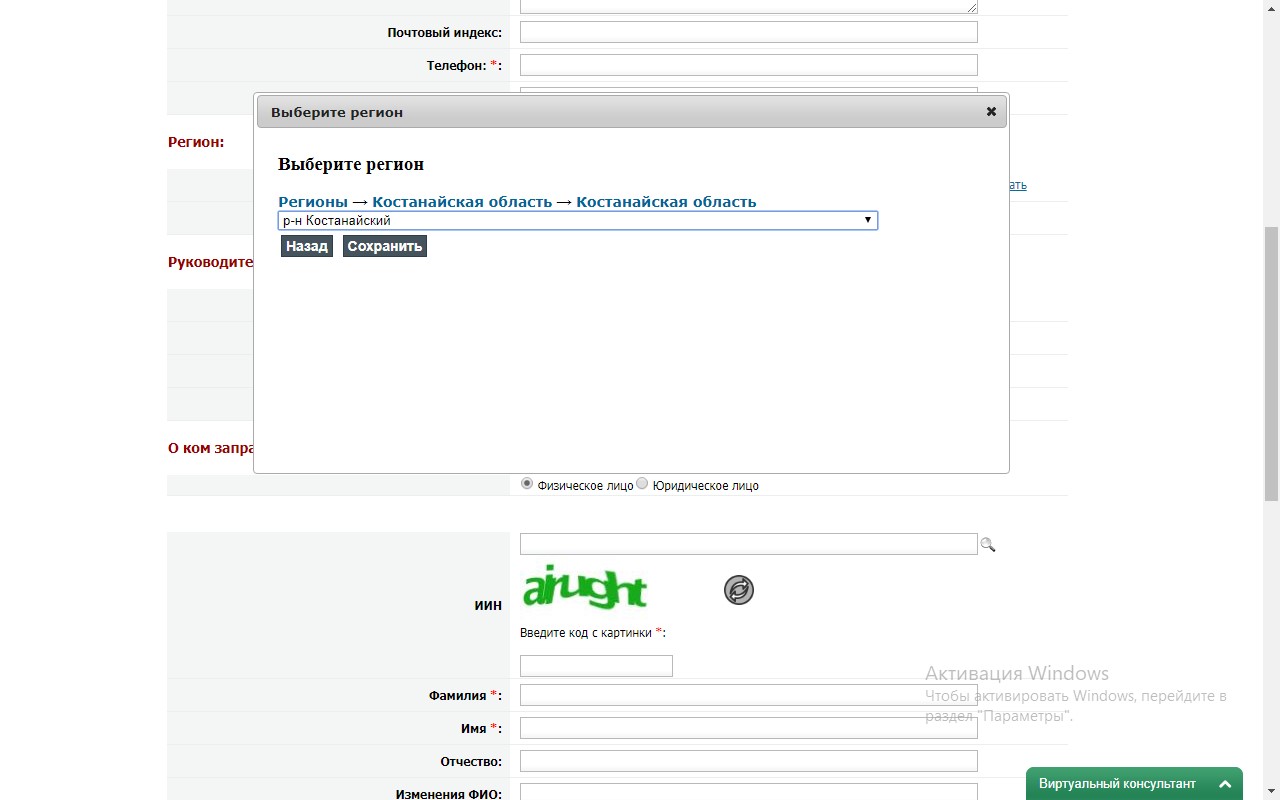
After selecting the name of the state archive, the position and full name of the head appear automatically.
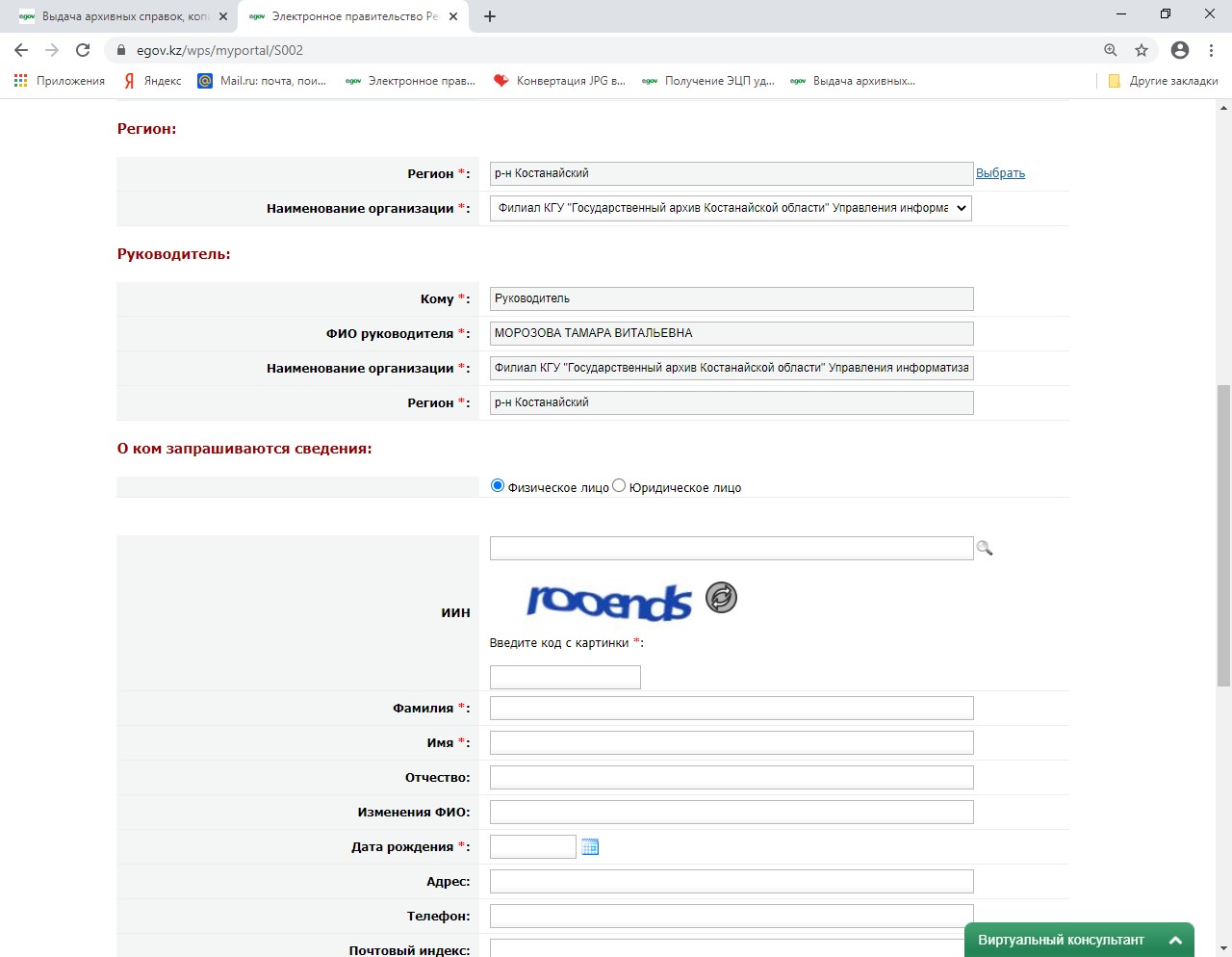
9. Then you need to fill in the "about whom information is requested" field and select an individual or legal entity. Then click on the magnifying glass icon to search the database for the last name, first name, middle name, and year of birth (they are displayed automatically). You must fill in the fields "Address", "phone", "Postal code".
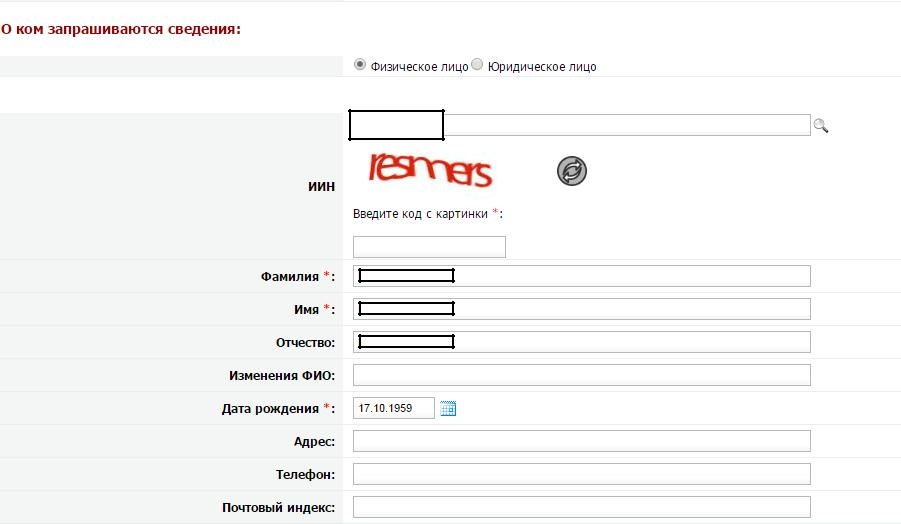
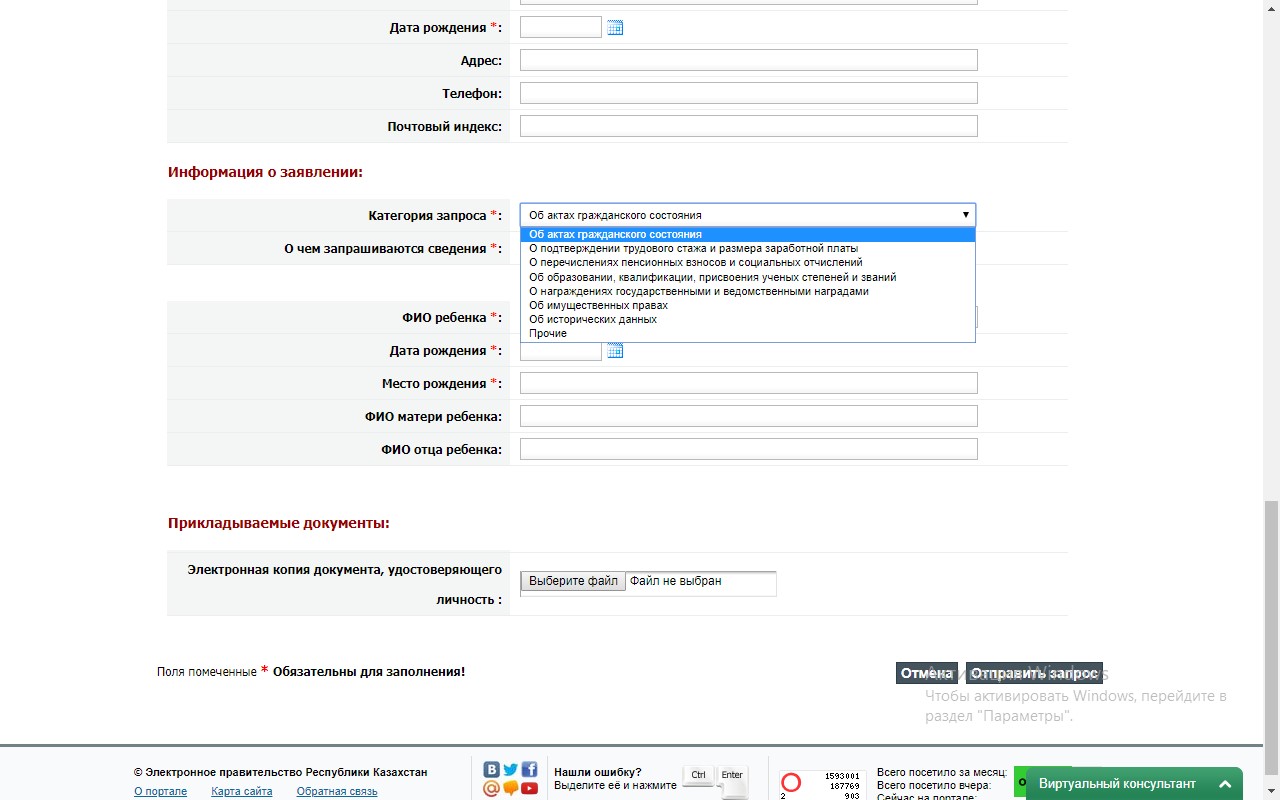
- Then fill in the "application Information" field.
To do this, select the request Category (by clicking on the triangle) and select the required one from the list of categories (see the information for the applicant at the beginning of the Instructions).

Then click on the "Send request" function, signing it with the digital signature of the EDS (select the RSA file).
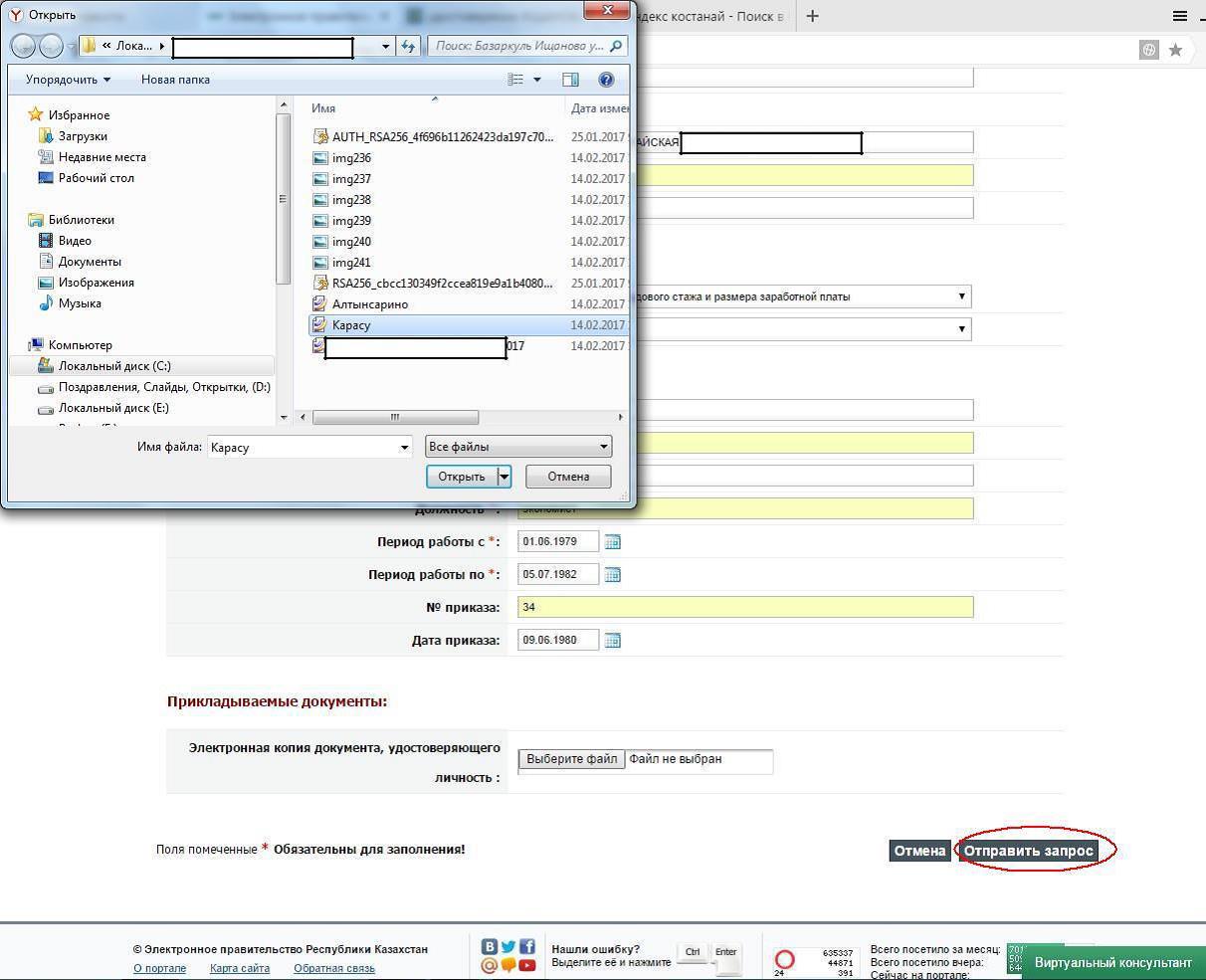

The result of providing a public service is an electronic document signed with an electronic digital signature of the authorized person of the service provider, which within 11 days the response will be provided in the personal account of the e-government portal (see the Instructions for obtaining the result of providing a public service "Issuance of archival certificates, copies of archival documents or archival statements" in the "personal account" of the e-government portal).